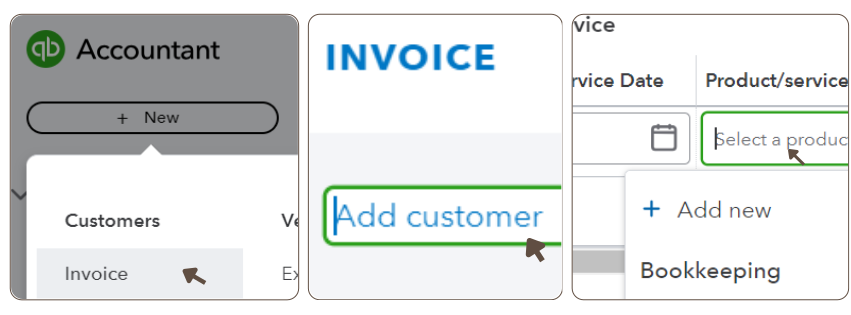
How to Create and send an invoice
- Select + New.
- Select Invoice.
- Select Add customer and choose a customer from the ▼ dropdown. Make sure all of their info is correct, especially their email address.
- Review the Invoice date, Due date, and Terms. Enter new dates or terms, if you need to.
- Select Add product or service and select a product or service from the ▼ dropdown.
- Select how you want to calculate the charge amount - flat rate, by hour, or by item. Enter a quantity and rate, if needed.
ELEVATE INSIGHTS
In the Terms field, Net refers to the number of days until the payment is due.