Process Payment in the Merchant Service Center
- Sign in to the Merchant Service Center.
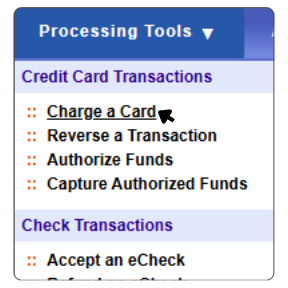
- Go to Processing Tools and select Charge a Card.
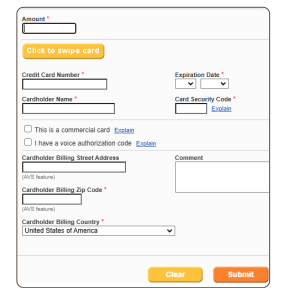
- Complete the fields. Comments you add are only visible to you and the cardholder.
- After you process the payment, you’ll see a confirmation page. You can select Print, E-mail, Void, or Done.
Process an eCheck
- Go to Processing Tools and select Accept an eCheck.
- Complete the fields.
- Select I have a signed authorization or My customer is on the phone.
- Select Submit.
QBO requiers a US ZIP code when you process a card. If you’d like to process an international card, please have the cardholder contact their bank.